
NECK PAIN · ERGONOMICS GUIDE · LOGANSPORT, IN
Best Desk Setup for Neck Pain: Monitor Height, Chair Settings, and Break Schedule
The best desk setup isn’t perfect—it’s the one that reduces neck load and you can actually sustain.
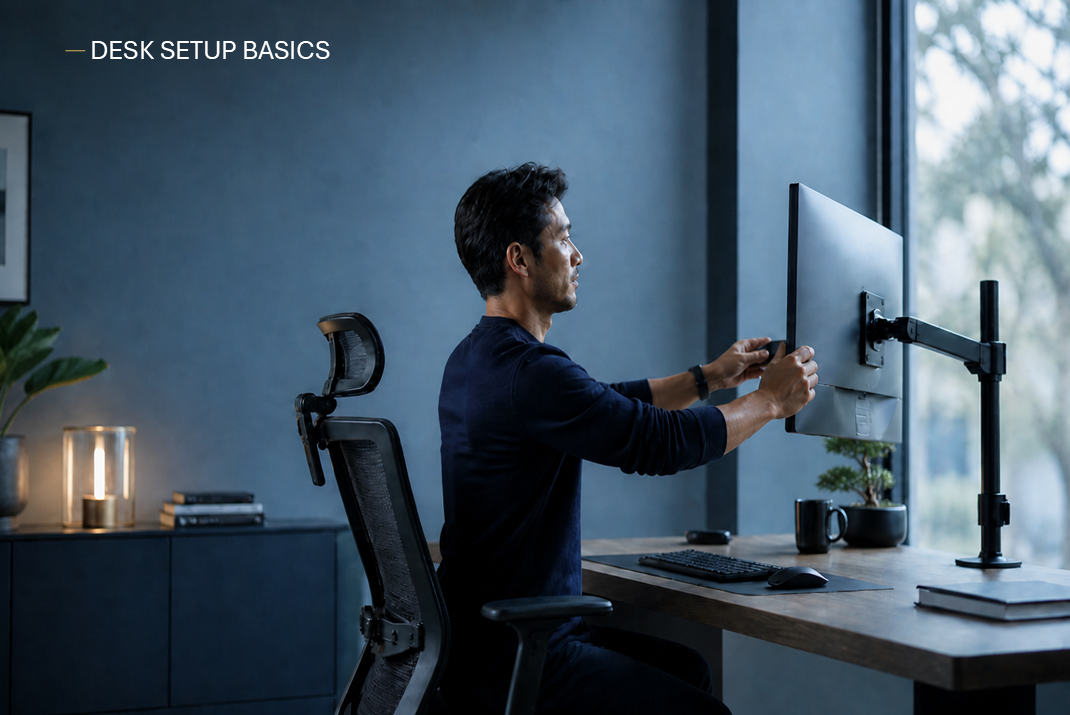
If your neck hurts at your desk, the fix is usually a combo of screen height, arm support, and a break schedule that prevents load from building for hours. If symptoms persist or include arm tingling, start with Neck Pain Relief. For tech-neck patterns, see Posture & Tech Neck. If your neck pain keeps returning even after desk changes, you can book an appointment and we’ll help you identify what’s actually driving it.
- 5-minute fixes you can do today
- Clear monitor + chair rules (no tools needed)
- Break schedule that actually reduces neck load
Educational only. Not medical advice. Seek urgent evaluation for severe/worsening symptoms or red flags.
Quick Fixes (5 Minutes)
If you do nothing else, do these five. They’re the highest ROI for desk neck pain.

The 5-minute checklist
- 1) Screen up: get your eyes closer to the top third of the screen
- 2) Screen closer: if you lean forward to read, it’s too far
- 3) Arms supported: elbows under shoulders, forearms supported
- 4) Mouse closer: stop reaching (one-sided trap pain often comes from this)
- 5) 60-second reset: chin nods + shoulder blade set + easy breath
Quick test
If you can reduce pain within 60 seconds by bringing the screen closer and supporting your arms, your neck is reacting to load—not “damage.”
Monitor Height (The #1 Neck Lever)
Most neck pain at a desk starts with looking down or reaching forward for hours.
Height rule
- Best start: eyes at the top third of the screen
- Or: top 1–2 inches of screen at eye level
- If you wear progressive lenses, you may need slightly lower
Distance rule
- Often about arm’s length away
- If the screen is too far or too small, you’ll lean forward without noticing
- Increase font size before you increase “lean”
Dual monitors (common mistake)
- If one monitor is primary: center that one
- If you use both equally: split the difference (center between them)
- Try not to rotate your head 1,000 times a day to one side
Chair Settings (Make “Relaxed Shoulders” Easy)
Your chair should reduce shrugging and forward reach—not force you to “sit perfect.”
Seat height + feet
- Feet flat (or a small footrest)
- Hips slightly above knees often feels best
- Avoid perching on the front edge all day
Lumbar support
- Small support at low back (chair support or a rolled towel)
- Not a hard “arch”—just enough to reduce slumping
Arm support (huge for trap tension)
- Armrests should support forearms with shoulders relaxed
- If armrests are too low or missing, add desk forearm support
- If armrests force shrugging, lower or remove them
Keyboard & Mouse (The Silent Trigger)
Most one-sided neck/trap pain is a mouse reach or uneven arm support problem.
- Elbows: roughly 90° with shoulders relaxed
- Keyboard: close enough that you don’t reach
- Mouse: keep it close (avoid “arm out to the side”)
- Wrists: neutral; avoid extreme tilt
Fast self-check
If your mouse is farther away than your keyboard, move the mouse closer. If your neck pain is worse on the mouse side, this is often the fix.
Laptop Setup (The Neck Trap)
A laptop forces you to look down and reach forward. Fix it with a simple two-part move.
The best laptop fix
- Raise the laptop (books/stand) so the screen is higher
- Add external keyboard + mouse so your arms stay close
Travel version (no gear)
- Raise screen with anything stable (book stack)
- Type less, use voice-to-text, and increase breaks
- When possible: external mouse is the biggest win
Break Schedule (The Real Fix)
If your setup is “good enough,” breaks are what prevent load from stacking for hours.
Choose one schedule
- Minimum effective: 30–60 seconds every 20–30 minutes
- Better: 2–3 minutes each hour
- High-symptom week: 1 minute every 10–15 minutes for 5–7 days
60-second “movement snack”
- 5–8 gentle chin nods (not aggressive tucks)
- 6–10 shoulder blade squeezes
- Stand + 3 slow breaths
2-minute reset (hourly)
- Short walk (even to water)
- Thoracic extension over chair back
- Re-check: screen close + arms supported
Simple rule
If you only change one thing: schedule micro-breaks. “Perfect posture” for 8 hours isn’t realistic—but frequent resets are.
If You Still Hurt (Decision Tree)
When the desk isn’t the whole story, these clues help you choose the next best step.
If headaches are part of it
Neck tension can drive headache patterns. If headaches are escalating or frequent, see The “Headache Posture” Trap and When to Worry About a Headache.
If you have arm tingling, numbness, or weakness
That’s a different pattern (nerve irritation can be involved). See Neck Pain with Arm Tingling: Pinched Nerve vs. Muscle and consider an evaluation.
If it improves at first, then keeps returning
That often means workload + recovery + strength/tolerance need attention, not just ergonomics. See Tech Neck Treatment: Ergonomics vs Exercises vs Chiropractic.
When an exam is the smarter move
- Symptoms persist beyond a couple weeks despite setup + breaks
- It keeps re-flaring with normal workdays
- You’re getting nerve-y symptoms or worsening headaches
A conservative exam can help determine whether chiropractic adjustments, posture changes, movement work, or a different next step makes the most sense. Start here: Neck Pain Relief or Book an Appointment.
When to Worry (Red Flags)
Get evaluated promptly if any of these are true.
- Progressive weakness or worsening numbness/tingling
- Severe headache red flags (sudden worst headache, neurologic symptoms)
- Dizziness/coordination changes that are new or worsening
- Fever or feeling very unwell with neck pain
- Major trauma (fall, car accident)
If you’re unsure, start with Contact & Location and we’ll guide you.
Desk Ergonomics for Neck Pain FAQs
Quick answers—including standing desks and break schedules.
Leave a Reply